
Download Cambridge Dictionaries – free Mac dictionary app, offline and multilingual
Overview
Cambridge Dictionaries is a **free** desktop program designed exclusively for macOS users who need a reliable, offline reference for English, Spanish and German vocabulary. Part of the Science & Education category, the app bundles several of Cambridge University Press’s most respected dictionaries into a single, searchable interface. The current version 8.5.888 was released on 29 December 2016 and continues to be maintained for modern Mac OS X releases and later. Because it runs locally, users enjoy instant look‑ups without an internet connection, making it ideal for students, teachers, writers and travelers who value speed, privacy and accuracy. The software’s lightweight footprint (install size not disclosed) ensures that it coexists peacefully with other productivity tools on a Mac, while its clean, native macOS design provides a familiar experience for both novice and power users.
Key Features
- Multilingual support – Access Cambridge’s authoritative English, Spanish and German dictionaries from a single window.
- Offline functionality – All content is stored locally, guaranteeing instant results even without internet access.
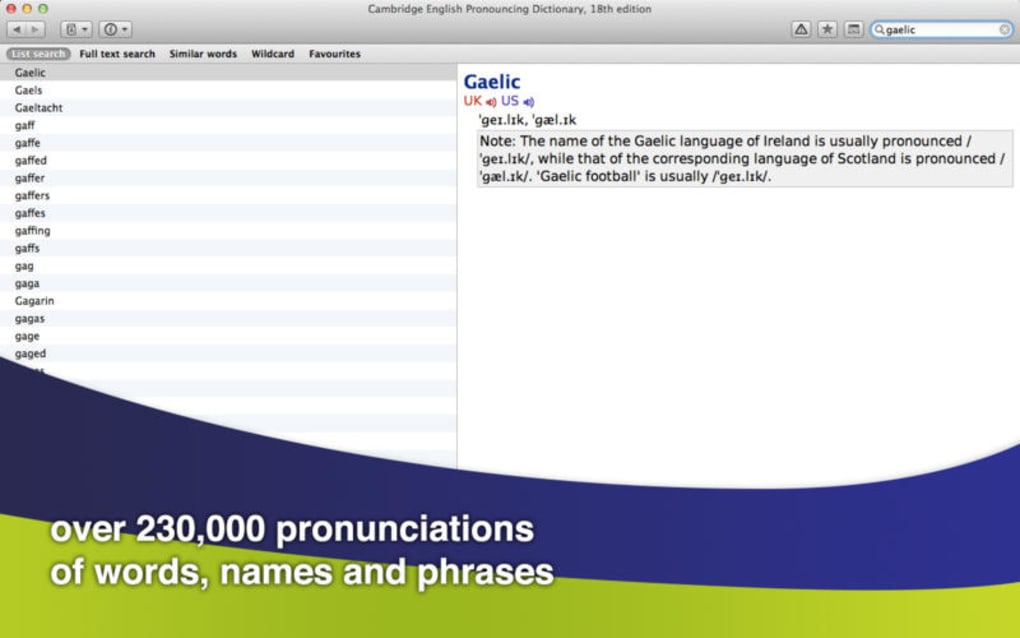
- Powerful search engine – Supports exact matches, wildcard queries and fuzzy search to handle misspellings.
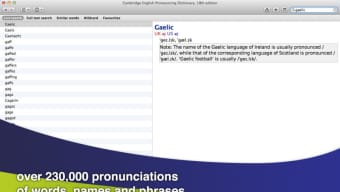
- Pronunciation audio – Clickable speaker icons let you hear native‑speaker pronunciations for thousands of entries.
- Example sentences – Real‑world usage examples help learners understand context and collocations.
- Bookmark & history – Save favorite entries and revisit recent look‑ups with a single click.
- Dark mode compatibility – Adapts automatically to macOS appearance settings for comfortable night‑time use.
- Regular updates – Although the last public update was in 2016, the dictionary databases receive periodic content refreshes.
Installation & First‑Run Guide
Installing Cambridge Dictionaries on a Mac is straightforward. Follow these steps to get the program up and running:
- Visit the official Cambridge Dictionaries download page and click the Download for macOS button.
- Once the
.dmgfile finishes downloading, double‑click it to open the installer volume. - Drag the Cambridge Dictionaries icon into your
/Applicationsfolder. macOS may request your administrator password. - Eject the installer volume after the copy completes.
- Launch the application from the Applications folder or via Spotlight (⌘ Space, type “Cambridge Dictionaries”).
- On first launch, you’ll be prompted to choose the language pack(s) you wish to install. Select English, Spanish, German, or any combination that fits your needs.
- The app will download the selected dictionaries (approximately a few hundred megabytes) and index them locally. This process may take a few minutes depending on your internet speed.
- After indexing, the main window appears with a search bar at the top. Begin typing a word to see instant results.
The software is compatible with macOS 10.10 (Yosemite) and newer versions, including macOS 13 Ventura. It runs natively on Intel‑based Macs as well as Apple Silicon (M1/M2) thanks to Rosetta 2 translation when necessary.
Pros, Cons & Frequently Asked Questions
Pros
- Completely free – no hidden subscription fees.
- Offline access ensures privacy and reliability.
- Multilingual dictionaries in a single app.
- Native macOS look and feel, including Dark Mode.
- Audio pronunciations and example sentences improve learning.
Cons
- Last major UI refresh was in 2016; the design feels dated compared to newer apps.
- Installation size is unspecified, which may concern users with limited disk space.
- Limited to macOS – no Windows, Android or iOS versions.
- Content updates are infrequent; some newer slang may be missing.
Frequently Asked Questions
Is Cambridge Dictionaries truly free or does it contain in‑app purchases?
The application is completely free to download and use. All core dictionary content is included at no cost, and there are no hidden in‑app purchases or subscription models.
Can I use Cambridge Dictionaries on a Windows PC?
No. Cambridge Dictionaries is built specifically for macOS. Windows users would need to look for alternative Cambridge dictionary apps or use the online version on Cambridge.org.
How often are the dictionary databases updated?
Content updates are released periodically, though they are less frequent than major UI releases. The last known database refresh occurred in early 2017, but the core lexical entries remain accurate for most everyday use.
Does the app support dark mode on macOS?
Yes. Cambridge Dictionaries automatically follows the system appearance setting, switching to a dark theme when macOS is set to Dark Mode.
Is there a way to export search results or favorite words?
The application includes a bookmark feature that lets you save entries for later reference. Exporting to external formats (e.g., CSV or PDF) is not built‑in, but you can copy definitions manually.
Cambridge Dictionaries ReviewCambridge Dictionaries offers a solid, no‑cost solution for macOS users who need reliable reference material without an internet connection. Its multilingual coverage, audio support and native macOS integration make it a valuable tool for students and professionals alike. While the UI feels a bit dated and the update cadence could be faster, the core functionality remains robust. Overall, it’s a dependable addition to any Mac toolbox.
Conclusion
If you’re looking for a **free**, secure and offline dictionary solution that works natively on your Mac, Cambridge Dictionaries still holds its ground despite its modest appearance. Download the app today, choose your preferred language packs, and enjoy instant, high‑quality definitions whenever you need them—whether you’re drafting a paper, studying a new language, or simply satisfying curiosity. Start your download now and experience the convenience of Cambridge’s trusted lexicographic resources right on your desktop.







